The Secrets AI Video Generator: What It Does, What It Costs, and Whether It's Worth It
Reviewer rating: 4.1 out of 5. Most competing AI companion platforms do not offer video generation at all — Secrets AI's ability to convert companion images into motion clips is a genuine technical differentiator, not a marketing claim. But the Moments cost is real, and heavy video use demands either the Premium or Ultimate plan. This page covers how the feature works, the cost structure, quality expectations, and who should actually use it.
For platform context, see the full review and the complete feature breakdown.
What the Video Generator Is

The Secrets AI video generator converts AI companion images into short motion clips. You provide a source image and a text prompt describing the desired movement or action; the platform's AI processes the request and renders a video clip.
This capability is uncommon in the AI companion market. The major competing platforms — Character.AI, CrushOn AI, Janitor AI, and Replika — do not offer equivalent functionality. Candy AI provides some video capability, but with more limited implementation. Among mainstream AI companion platforms, Secrets AI is the clearest leader on this specific feature.
The videos are context-aware: they reflect the character's appearance from the source image and the scenario context from your prompt. The output is a motion clip from your companion, not generic stock footage.
How to Generate a Video

The process follows four steps:
Step 1: Generate or select an existing companion image. The quality of the source image directly affects video output quality — start with a clean, well-rendered image rather than one with visible artifacts.
Step 2: Add a text prompt describing the movement or action you want. Keep prompts specific but not overly complex. "Walking toward camera, smiling" will produce more reliable results than highly elaborate multi-action descriptions. Simpler prompts generally yield smoother outputs.
Step 3: Submit the request and wait. Generation takes approximately 2 minutes under normal conditions. Peak traffic periods may extend this slightly.
Step 4: View and save the completed clip. Download options are available for saving clips to your device.
A practical efficiency tip: generate images first and evaluate which renders best before converting to video. Video generation costs significantly more Moments than image generation — spending 600 Moments on a video from a low-quality source image wastes the budget. Generate 4-8 images, select the best, then convert.
Video Quality Assessment
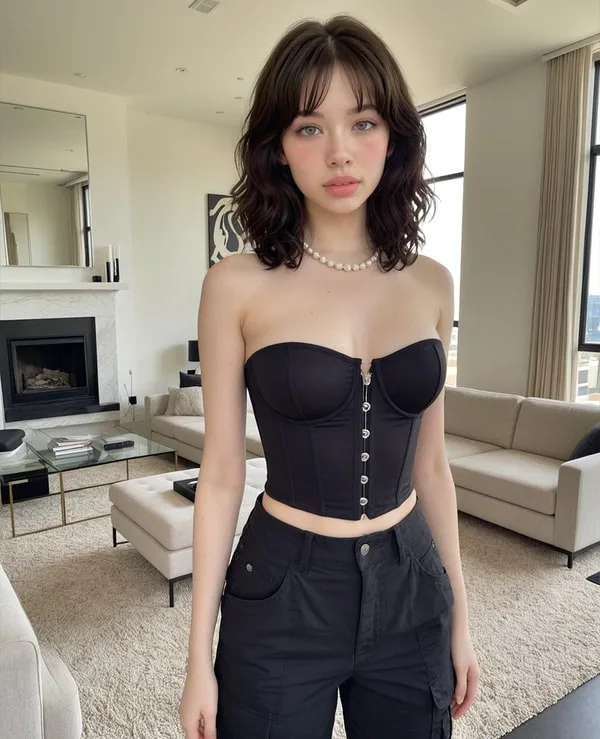
Independent reviewers rate video quality at 4.1 out of 5. The description: "videos look good and move smoothly most of the time." Specific quality characteristics:
- Realistic character movement in most outputs
- Natural facial expressions with limited uncanny valley effect
- Coherent motion that follows the text prompt direction
- Occasional quality variations on complex prompts or unusual movements
- Quality improves with the Premium generation model (available on Premium and Ultimate tiers)
The quality is competitive for an AI-generated video product, with the caveat that AI video generation broadly (including systems built on deep learning and Stable Diffusion-adjacent technology) still shows artifacts on complex motion or anatomical challenges. Hands, complex multi-character interactions, and rapid motion are common weak points.
For most standard use cases — character movement, expressions, environmental context — the quality is sufficient to make the feature genuinely useful rather than a novelty.
Cost Structure: Moments Per Video
Video generation is the most Moments-intensive feature on the platform:
| Clip Length | Moments Cost | Equivalent In |
|---|---|---|
| Short (3 sec) | ~50 Moments | 25-50 text messages |
| Standard/longer clip | ~600 Moments | 12-24 images |
For reference on other feature costs: text messages cost 1-2 Moments, images cost 25-50 Moments, voice calls cost 100 Moments per minute. Video is dramatically more expensive per unit than any other feature.
Budget modeling by tier:
- Lite (1,000 Moments/month): Approximately 2-20 videos depending on clip length. If you use all Moments on short clips, you get ~20. If you use them on standard clips, you get ~1-2.
- Plus (3,000 Moments/month): Approximately 5-60 videos per month. Workable for moderate video use alongside some image generation.
- Premium (8,000 Moments/month): Approximately 13-160 videos per month. Realistically supports a mix of video generation and other media.
- Ultimate (15,000 Moments/month): Approximately 25-300 videos per month. Designed for users who make video creation a primary activity.
Moments top-up bundles start at $5.99 for 1,980 Moments — useful for occasional extra video generation without a tier upgrade. For detailed pricing on plans and top-ups, see the Moments costs breakdown.
Video vs Images vs Voice — Cost Comparison
| Feature | Cost | Output Duration/Count |
|---|---|---|
| Text message | 1-2 Moments | One response |
| Image generation | 25-50 Moments | Single static image |
| Short video (3 sec) | ~50 Moments | 3-second motion clip |
| Full video clip | ~600 Moments | Longer motion clip |
| Voice call | 100 Moments/minute | Real-time audio |
The economic reality: 600 Moments buys one full video clip OR approximately 12-24 images OR 6 minutes of voice calls. For users who aren't specifically video-focused, images provide substantially more output per Moment.
The decision point: if motion and a sense of the character as a living, moving presence matters to you, video is worth the premium cost. If static imagery is sufficient, images give significantly better Moments-per-output efficiency.
Who Video Generation Is Designed For
Video generation is worth the Moments cost if:
- Visual media is a primary part of how you use the platform
- You want a sense of movement and presence beyond static images
- You're on Premium or Ultimate with Moments to spare
- You value Secrets AI's differentiator over competitors that lack this feature
Video generation may not be worth it if:
- You are primarily a text-focused user
- You are on Lite with limited Moments and prioritize conversation over media
- Your Moments budget is tight and you need to maximize output-per-Moment
- You don't care about visual content and are using the platform mainly for chat and memory depth
Best tier for video use:
- Moderate video use (5-15 clips/month): Plus ($9.99/month) or Premium ($19.99/month)
- Heavy video creation: Ultimate ($39.99/month) — the 15,000 Moments allocation provides genuine sustainability for regular video generation
The free vs premium tier comparison shows video access by tier and includes the media cost math in detail.
Competitors Without Video Generation
The competitive context matters here. Among the most-used AI companion platforms:
- Character.AI (one of the largest platforms by user count): No video generation
- CrushOn AI: No video generation
- Janitor AI: No video generation
- Replika: No video generation
Only a small number of platforms offer anything comparable:
- Candy AI: Limited video implementation
- SweetDream AI: Video available
- Xotic AI: 4K video clips up to 15 seconds
For most users choosing between mainstream AI companion platforms, Secrets AI's video generation is either the reason to choose it or a feature you're paying for that you don't need. There is no middle ground where this feature is incidental — it is a significant cost driver and a significant capability differentiator simultaneously.
Try the Secrets AI Video Generator →
FAQ
Short clips are approximately 3 seconds and cost around 50 Moments. Standard and longer clips are available on higher tiers and cost up to 600 Moments per clip. The Lite tier generates short 3-second clips; Plus and above unlock longer clip generation.
No. Video generation requires Lite tier or higher. The free plan provides 200 starting Moments and text chat access but does not include video generation capability. Upgrading to Lite ($5.99/month) is the minimum requirement for accessing video clips.
It depends on your tier's Moments allocation and the length of clips you generate. At Plus (3,000 Moments/month): approximately 5-60 videos. At Premium (8,000 Moments/month): approximately 13-160 videos. At Ultimate (15,000 Moments/month): approximately 25-300 videos. The range in each case reflects the difference between short 3-second clips (cheap) and full-length clips (600 Moments each).
Generally yes — reviewers rate quality at 4.1/5 and describe movement as smooth and expressions as natural in most outputs. The quality is competitive for AI-generated video, with occasional variations on complex prompts or unusual movements. Using high-quality source images and the Premium generation model produces the best results.